More cases for composable data sources - using bookshop data
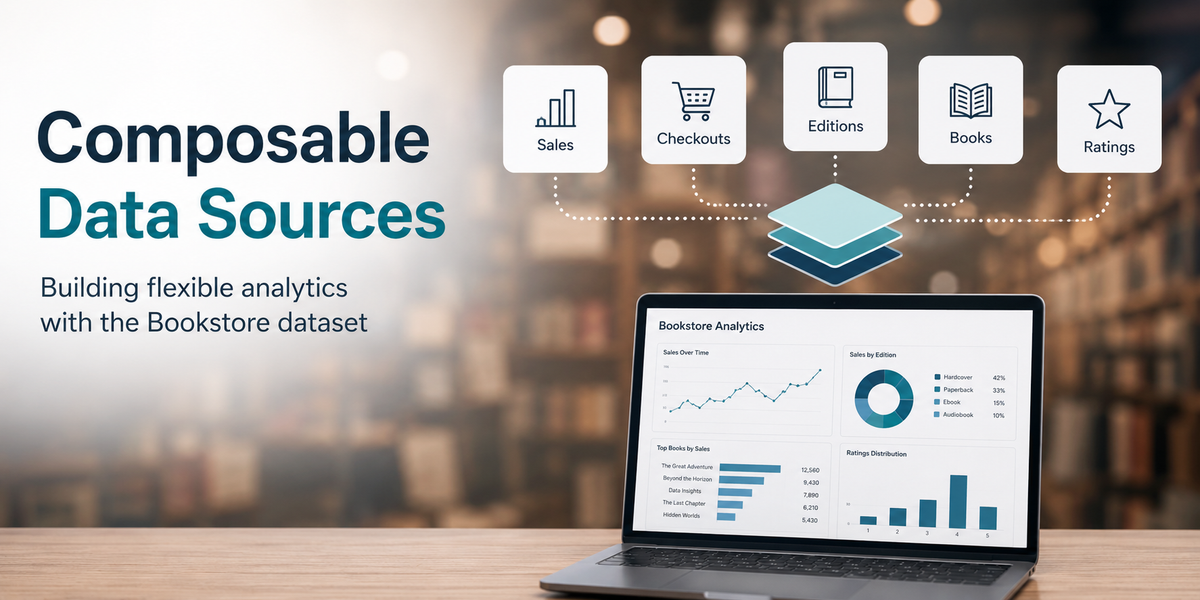
Back in 2025, Tim Ngwena and I did a Tableau data modelling masterclass on Tim's channel using the bookshop data set. This is still a great foundation for data modelling. However, we covered modelling but not the implications for it in an enterprise Tableau Cloud/Server environment. Composable data sources opens that up and we will have a new video on it dropping soon (and I will update this post when it is ready).
This post covers the same topics as the video. You can think of this as either a companion for the video or the sole source if you prefer to read to learn over watching videos.
Before we begin, I should acknowledge that I often use the terms data model, semantic model, and published data source somewhat interchangeably. They are not technically the same thing, but for the purposes of this post they are closely related.
Think about it this way:
Tableau data model – Your source data as it is modelled in Tableau, including relationships, joins, and other modelling decisions.
Semantic model – A data model that has been enriched to make it easier for users to understand and analyze data. This might include relationships, well-named fields, comments, calculations, hierarchies, and other business-friendly definitions.
Published data source – A Tableau data model (often with semantic enhancements) that has been published independently of a workbook so it can be governed, certified, and reused across multiple workbooks.
For this post, I will occasionally blur the lines between these terms because composable data sources operate at the intersection of all three concepts.
Now on to the use case!
Let's imagine we work for a bookseller who sells books and other licenses books to be borrowed (maybe as audio book downloads) to a third party. We control and record our own sales and get our checkout information from the third party on a monthly basis.
With that, our company has a published data source that looks like:

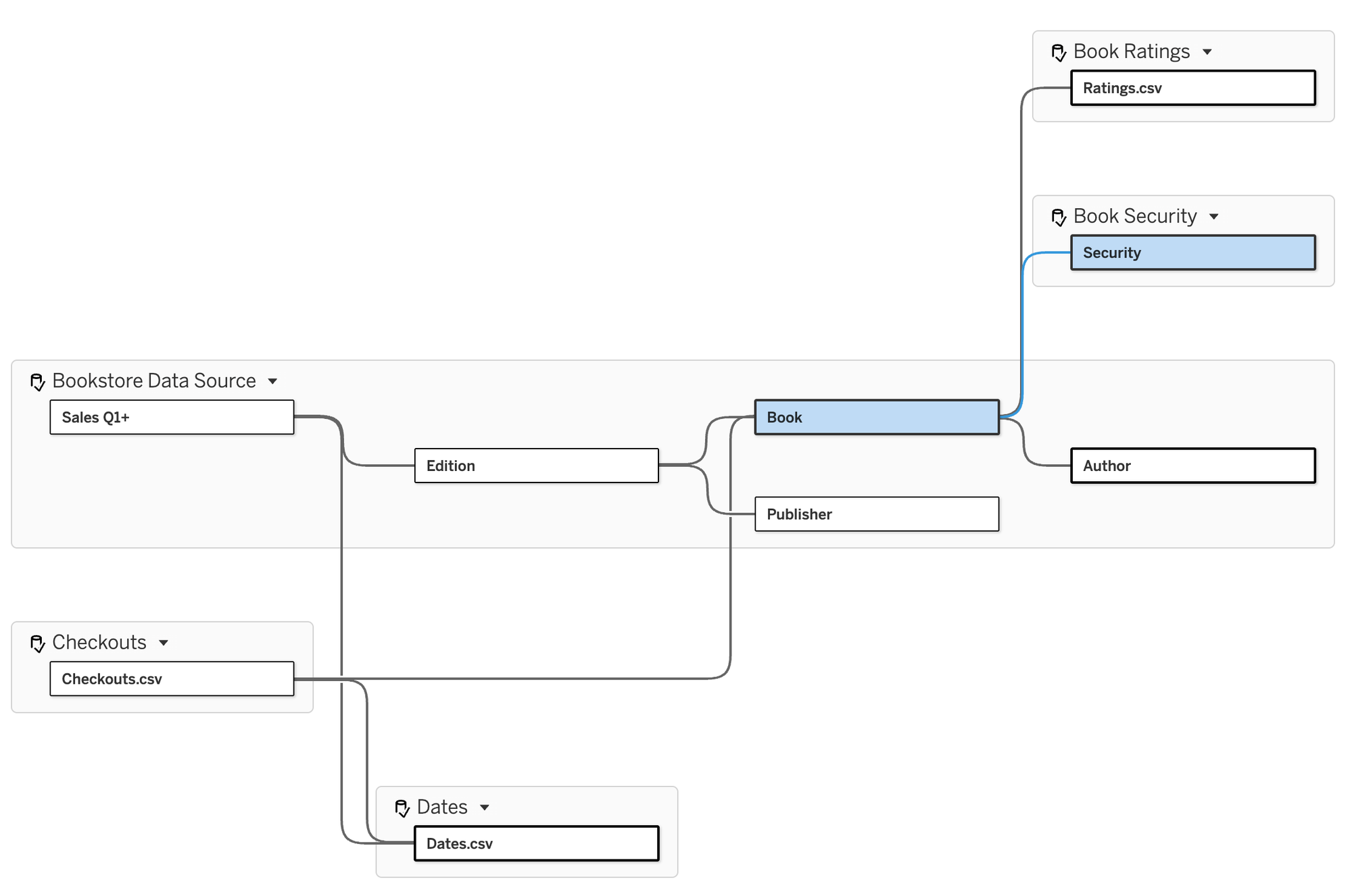
A standard Tableau published data source on Cloud than combines our Sales facts (sales transactions) combined with dimension tables of Edition, Book (with Info joined inside the logical table), Publisher, and Author. This is a published data source which has been certified and allows us to track our sales. Here is a simple example of the kind of viz we might have in a workbook using this data source (it is only illustrative and not following visual best practices 😄) :
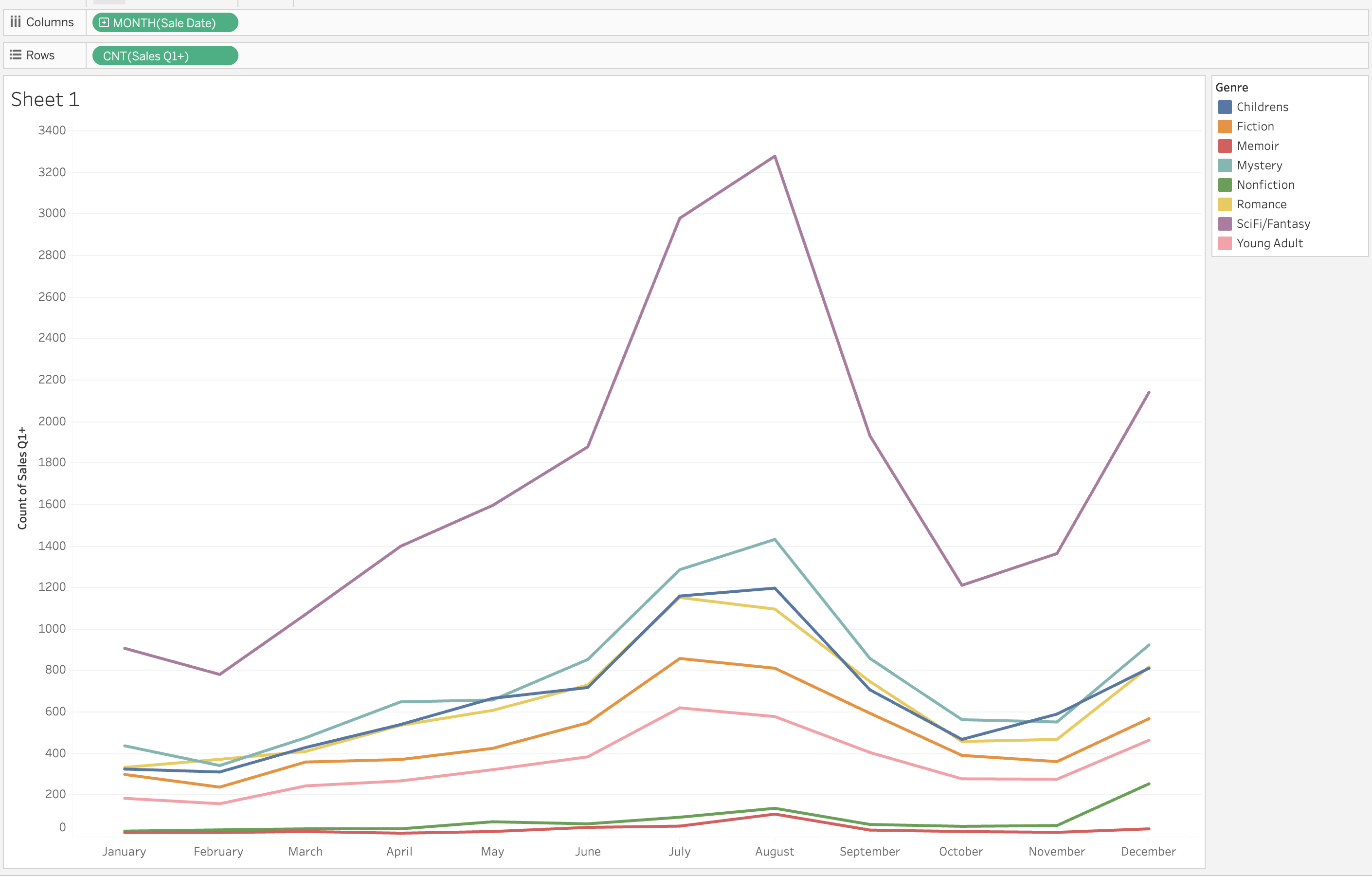
Easy enough - sales by genre by month over time (there is only one year of data in our data set). Using View Data Model, we can see which tables that we are using from the model:

Genre is actually coming from the logic book table because I previously joined the Info table in there... I probably could have named it better!
The point with composable data sources is... what if we started to get questions that this data model couldn't answer?
Let's say we are asked to compare book ratings to sales to see if there is a correlation. We get ratings information from a third-party rating site and that is made available via another Tableau published data source. Before composable data sources, our bookshop sales data source and the rating data source were dead ends, we couldn't bring them together. To get ratings in we would need to either open up our sales data source and add in the Book Ratings table (if we could get access to it) or create yet another data source.
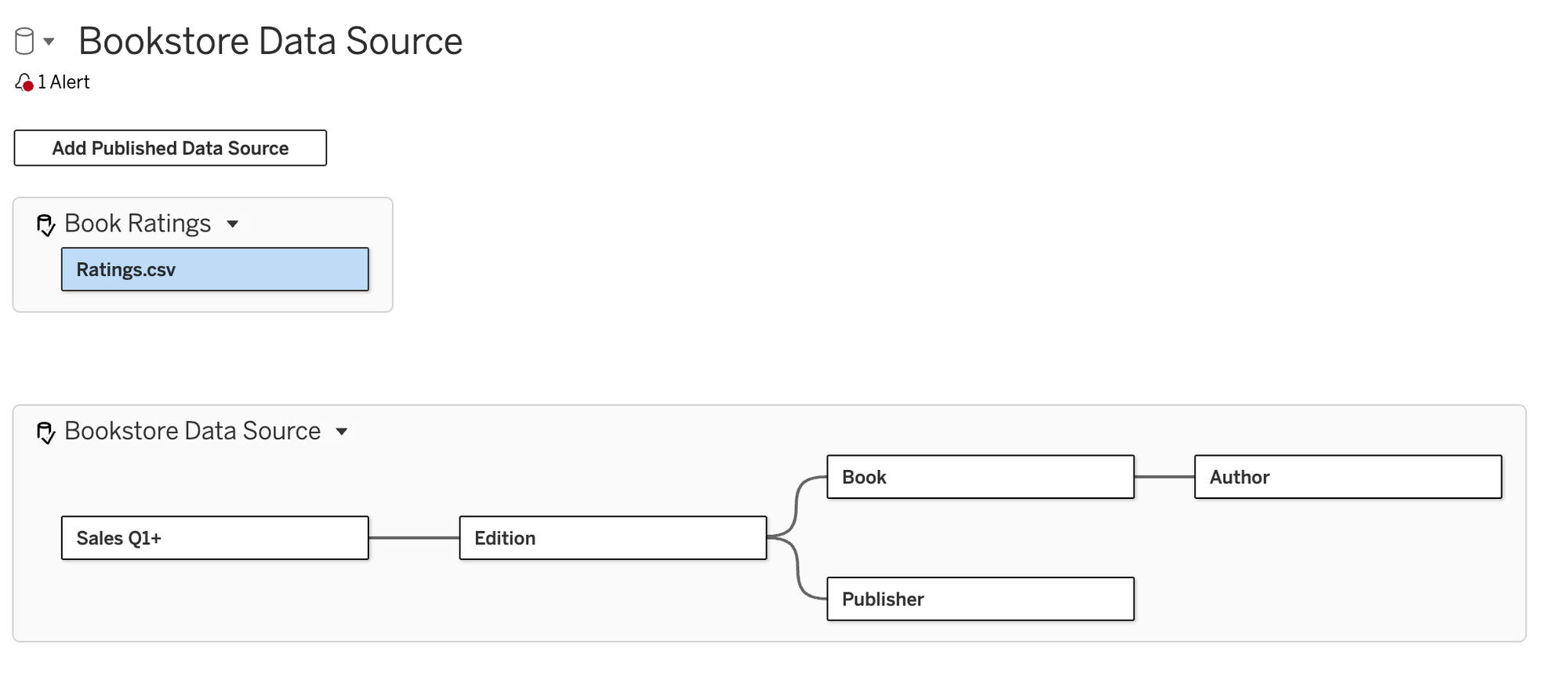
Now it's easy! Go to the data source page and now we see "Add Published Data Source". It's really that easy in the flow of work. Let's go ahead and add the Book Ratings published data source.
When we first add it, it sits as a disconnected base table:
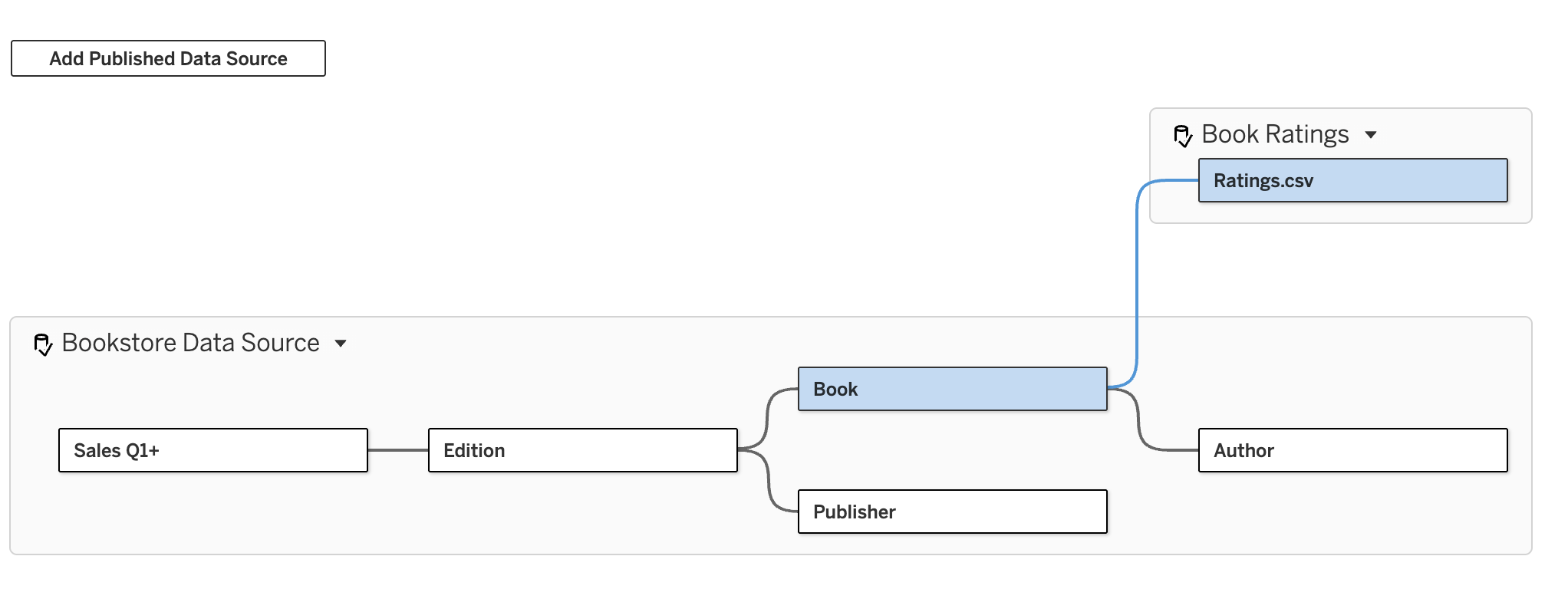
We can now just create any relationship as if it was just another logical table. I am going to grab the plus sign to the right of Book and drag the noodle to the left side of Book Ratings, make the relationship on Book ID and voila - ratings in model:
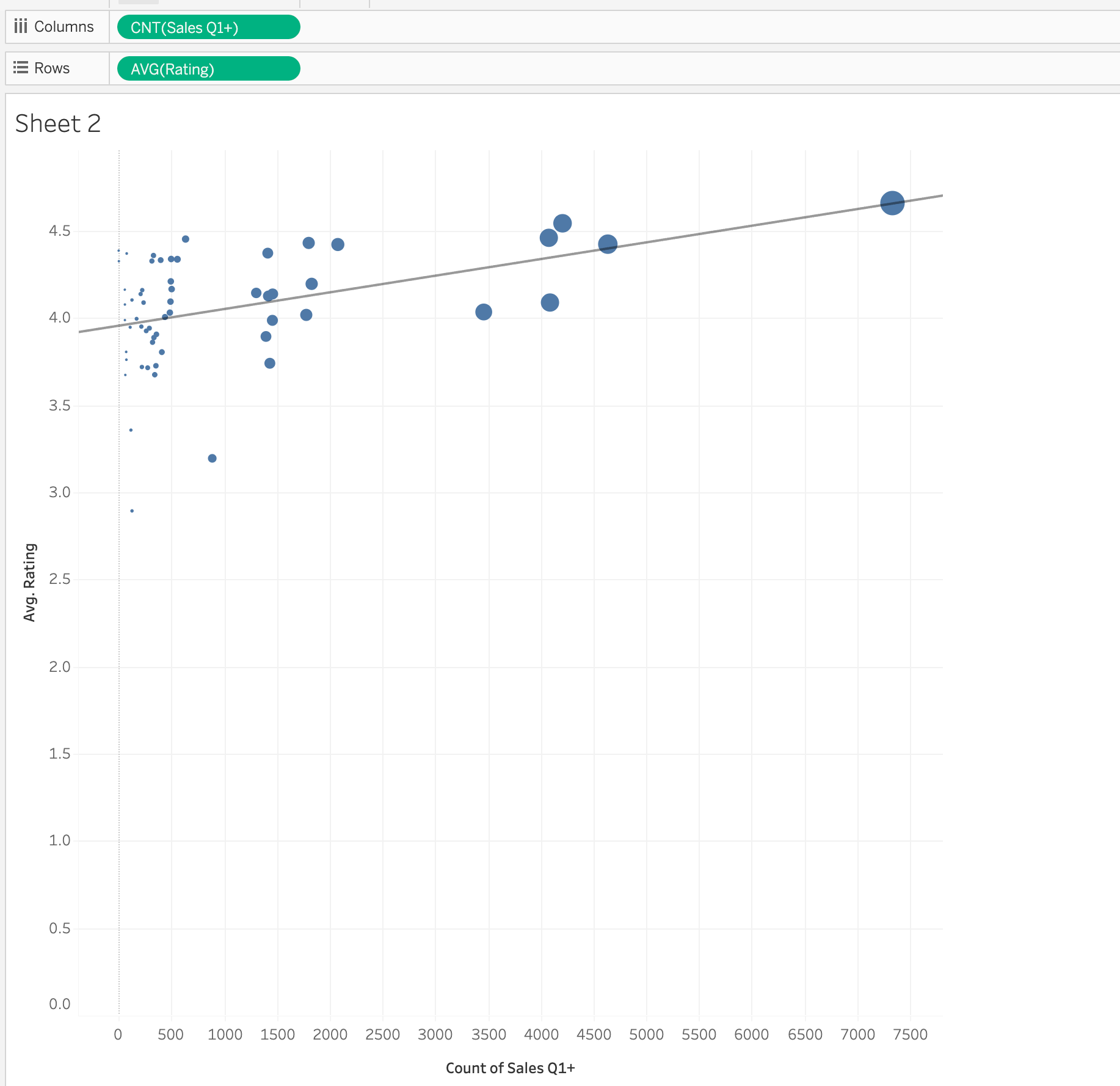
Super easy to answer the correlation question now. There is a positive correlation (if not statistically significant and fake data anyway!):
And if you go back to the previous sheet, as is true with all relationships, nothing is changed. It doesn't break anything we've already created in the workbook.
The best part is that we have not created a new data source. We are extending our analysis without creating a data source explosion. We are also ensuring that good governance is observed, as long as the Book Ratings data source is certified.
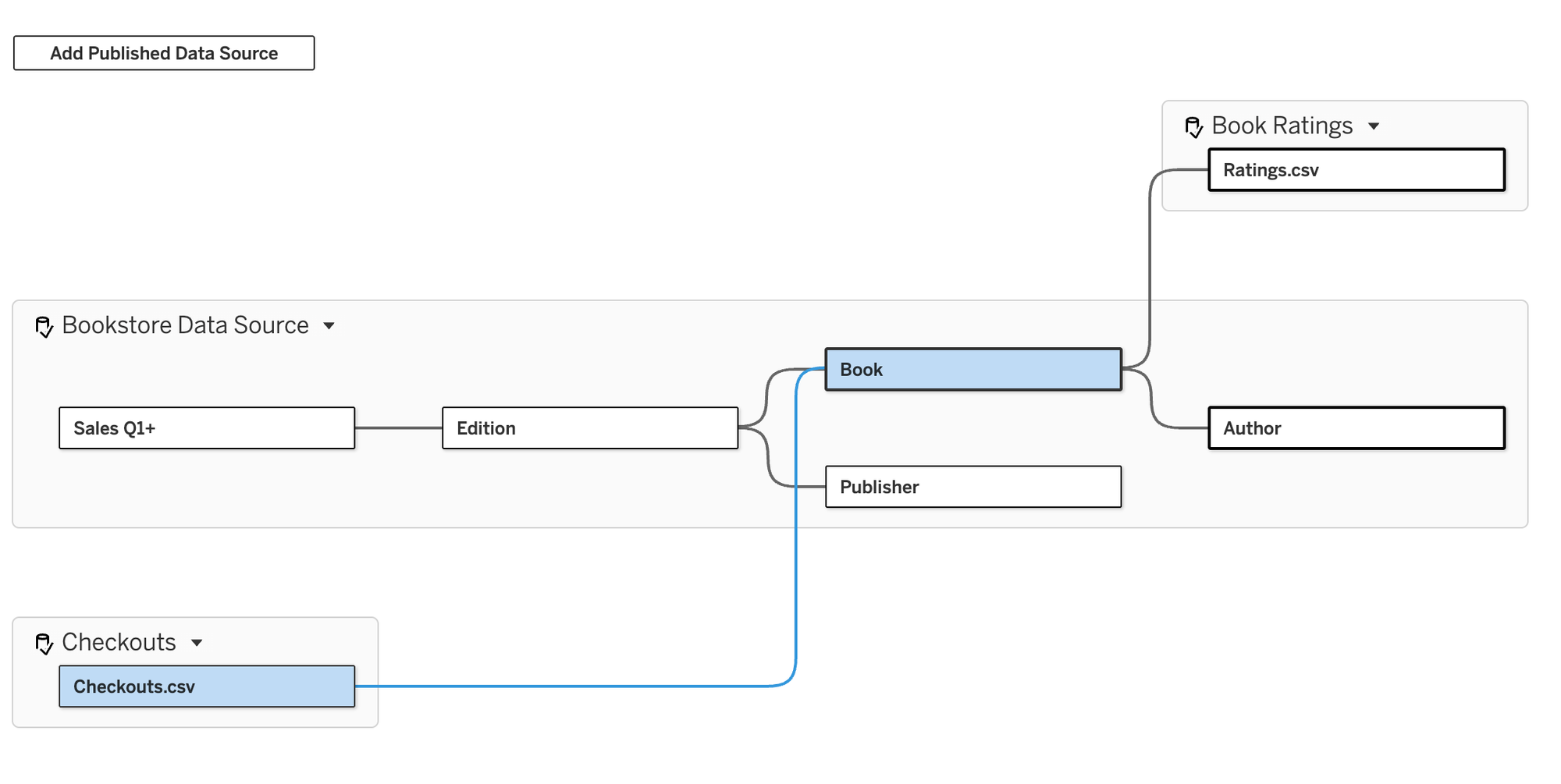
Next, we are asked to take in the monthly checkout information we get from the partner and use it to compare sales to checkout ratio. The checkouts are also already in a published data source. This time we are going to add them as a base table by dragging the noodle from the right side of Checkouts to the left side of Book and creating a relationship on Book ID:
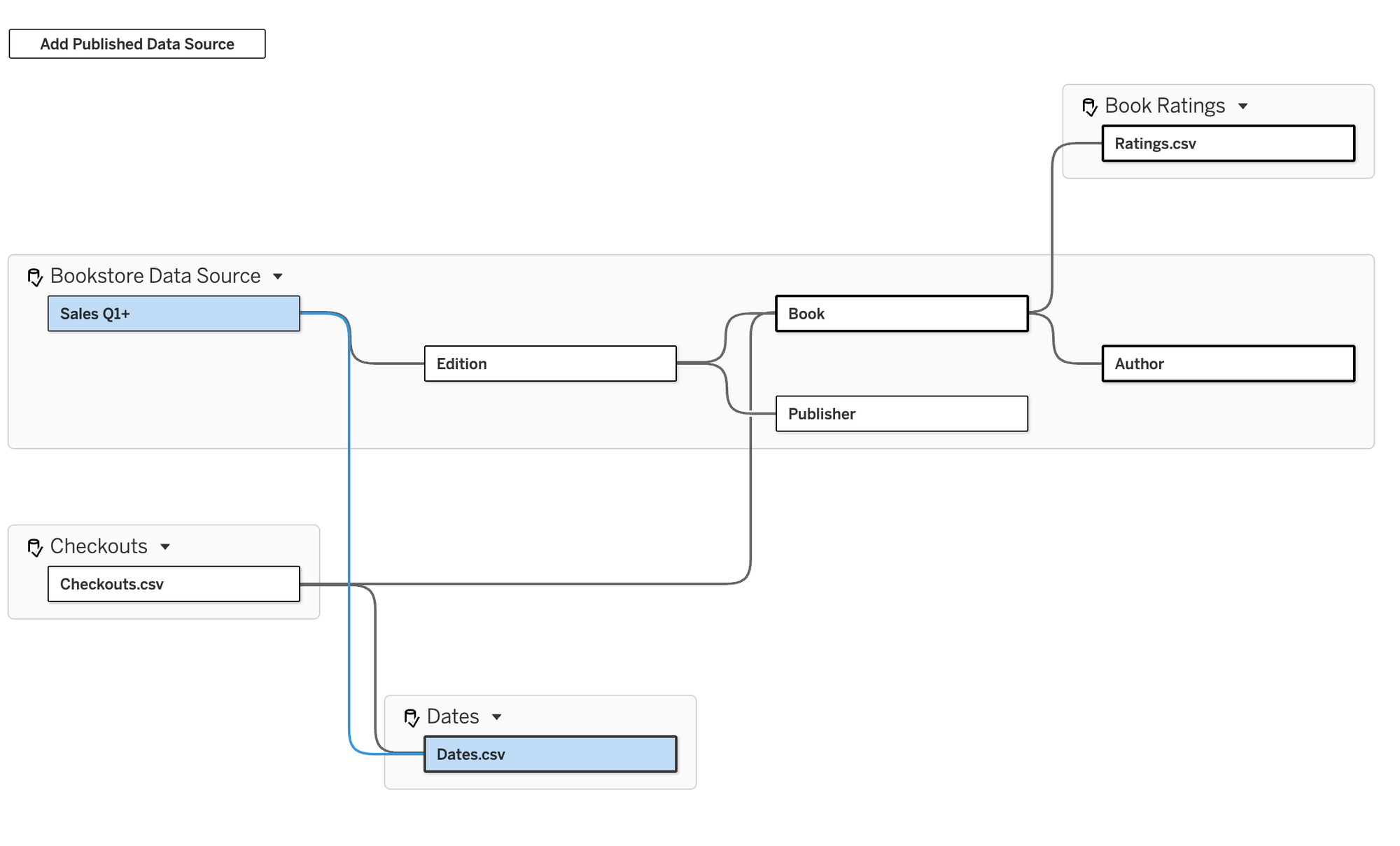
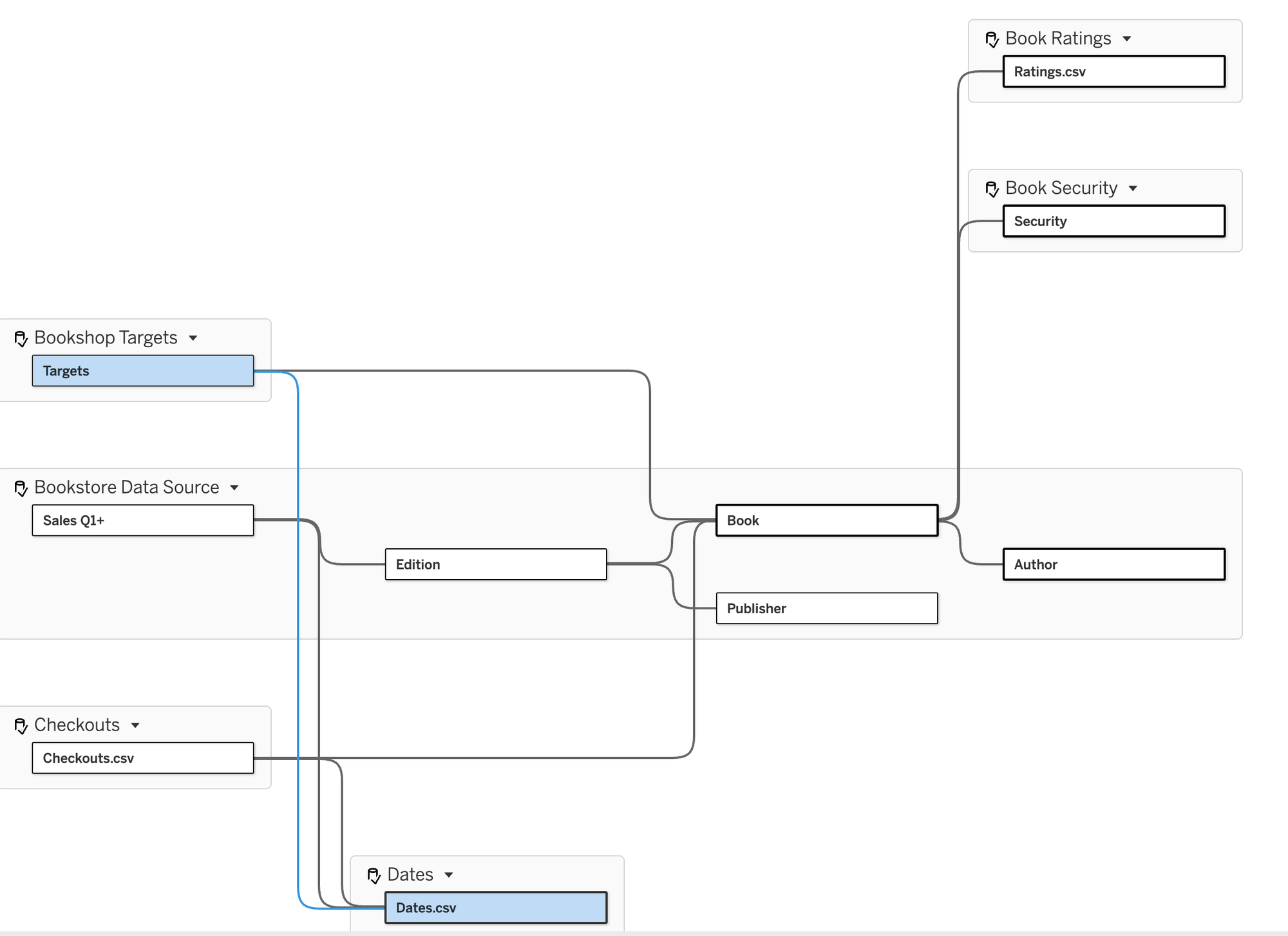
In the case of pretty much all multi-fact relationships, we would also want to connect all base tables to the same date dimension table so we can compare the different facts by the same date field (and this is a case for having a published data source that is all dates for reuse!):
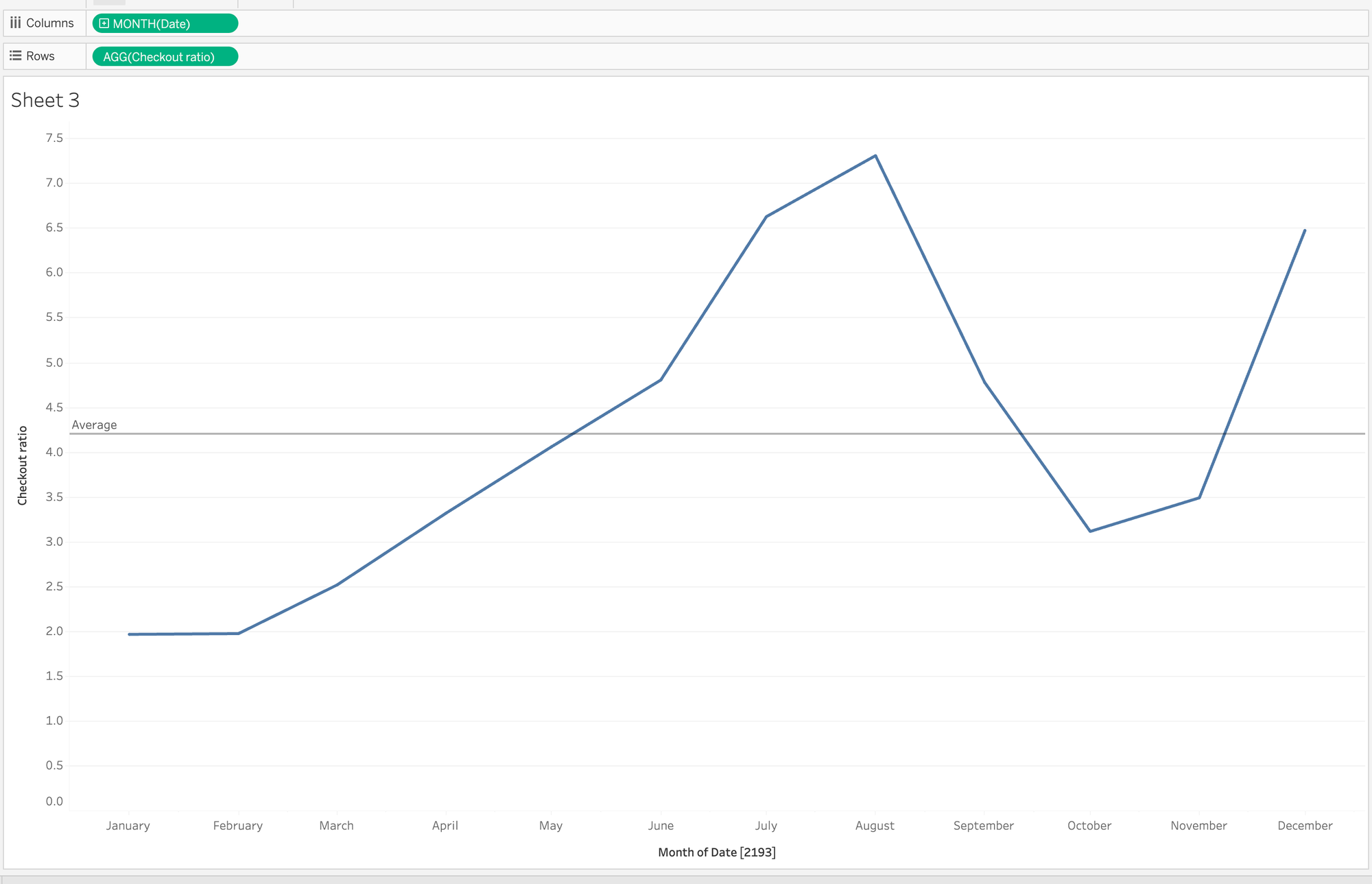
Now we can see the ratio of sales to checkouts over time (sales are 4.2 times higher on average but range from 2 to 7.3 times higher depending on the month), again building out sheets without changing the sheets we've previously built when the model had less tables:
Having fun yet? I almost wish it was real data!
Let's look at two more scenarios. Let's say that we are asked to apply row level security to the model and people can only see certain genres. I have a very basic Google sheet that acts as my entitlements table (hopefully it is more secure in a real company!) that looks like this:
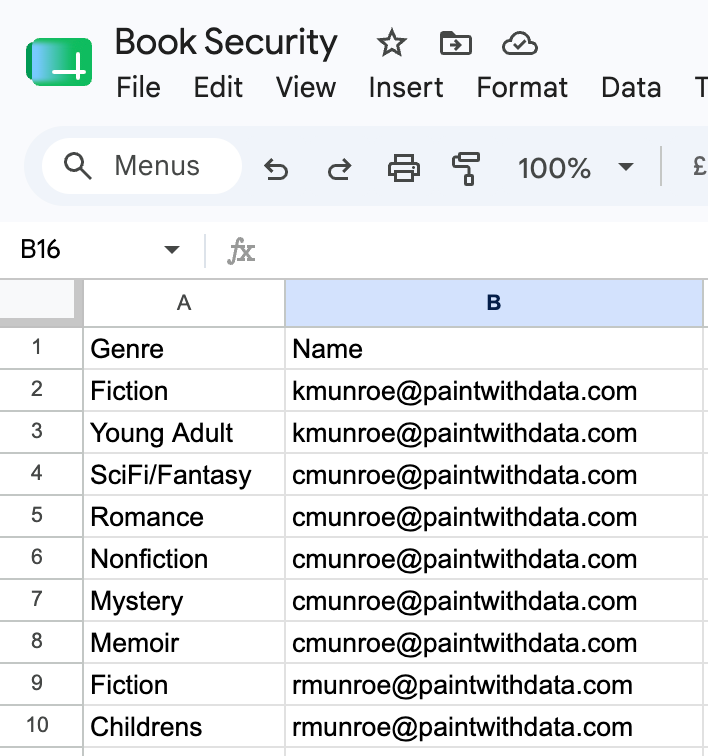
This is saying that I should only be able to see Fiction and Young Adult, Candi can see 5 categories and Rod can see the remaining 2 categories. I create a simple published data source with a live connection to this sheet and then I can also bring it into the model (and create a relationship with book based on Genre):
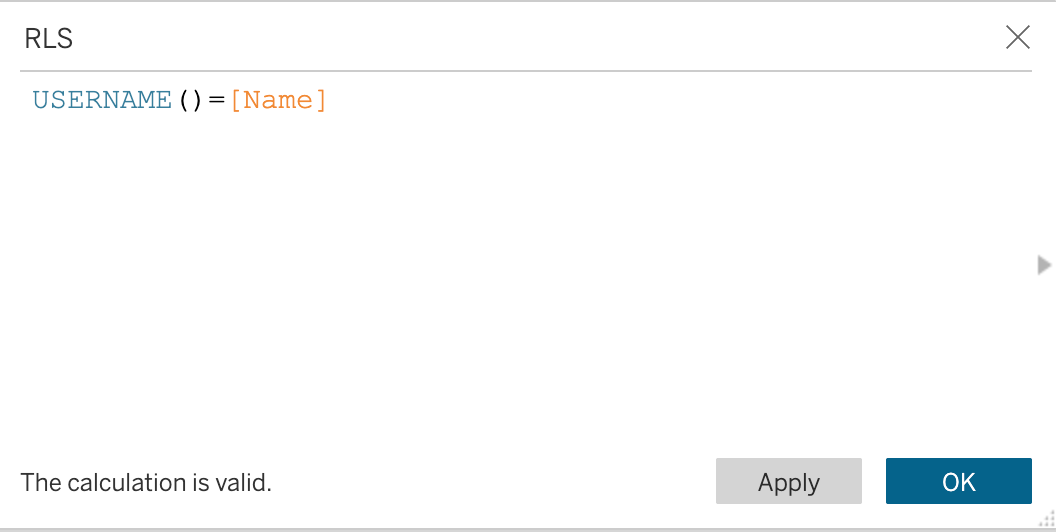
Then, we need a calculated field:
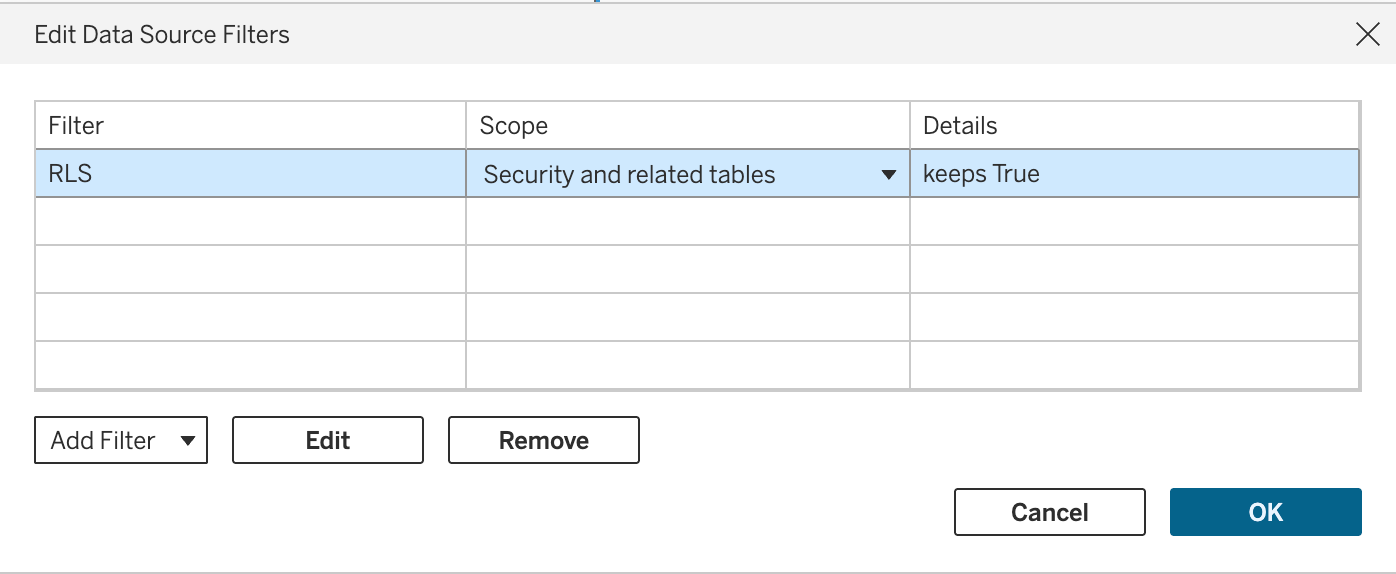
And a data source filter (ensure it is set to True and the scope is to Security and related tables and not just the Security table):
Now, if I go back to the first sheet we created (logged in as myself):
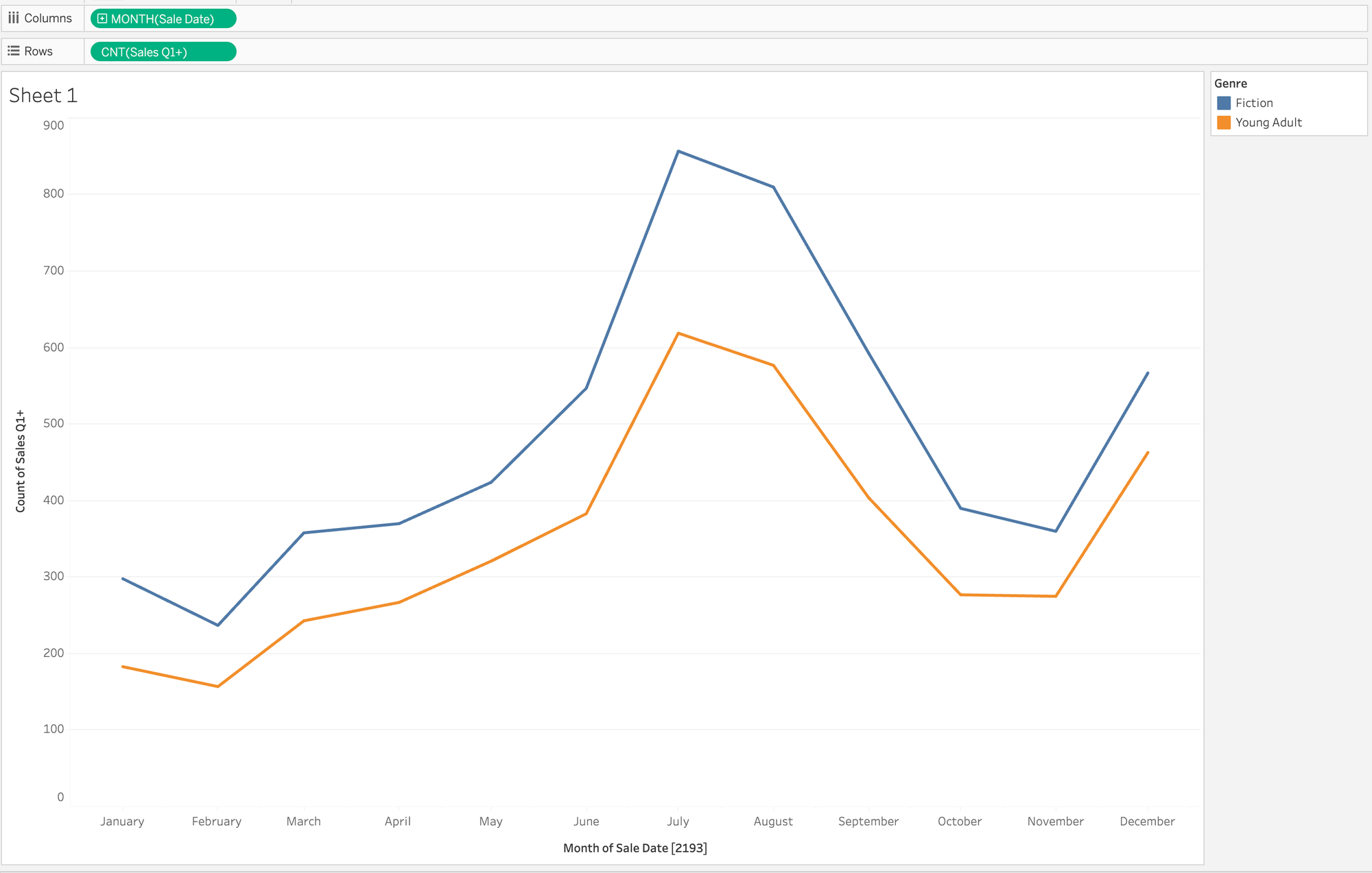
Boom! Row-level security in seconds. For fun, I added a row for SciFi/Fantasy and added my name (leaving Candi with the same genre - this doesn't need to be 1:1) and hit refresh (without touching the data model):
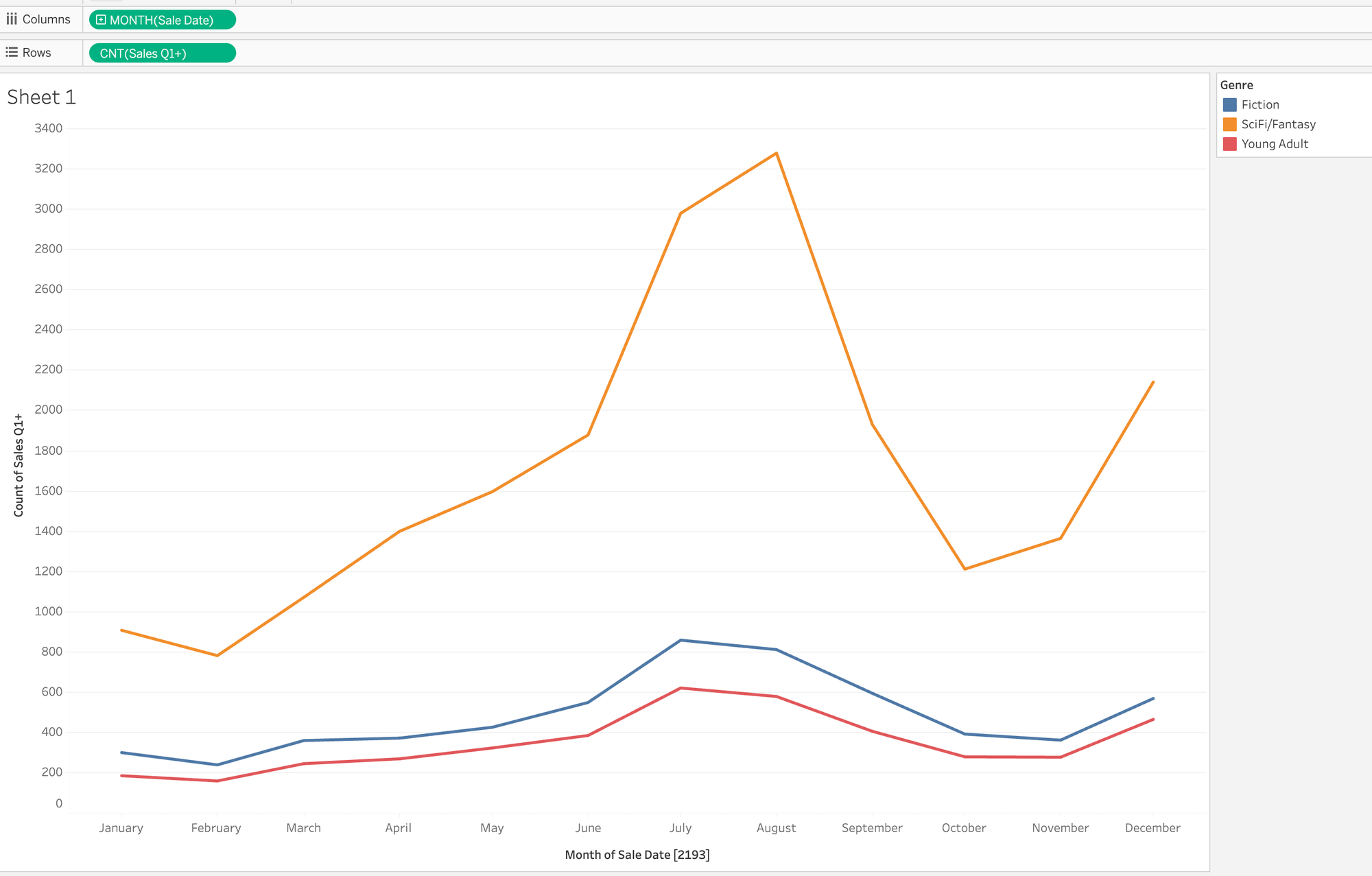
"Live" row-level security.
One last use case. One you probably know and it has made you wake up with nightmares screaming, "blending! no!" We get a list of targets for sales by genre by month. It is in Microsoft Excel. Awful formatting and the only way we could add it before was by blending it to our data source. Well, blending no more.

Let's connect to Excel and publish that as a data source, including pivoting columns to rows:
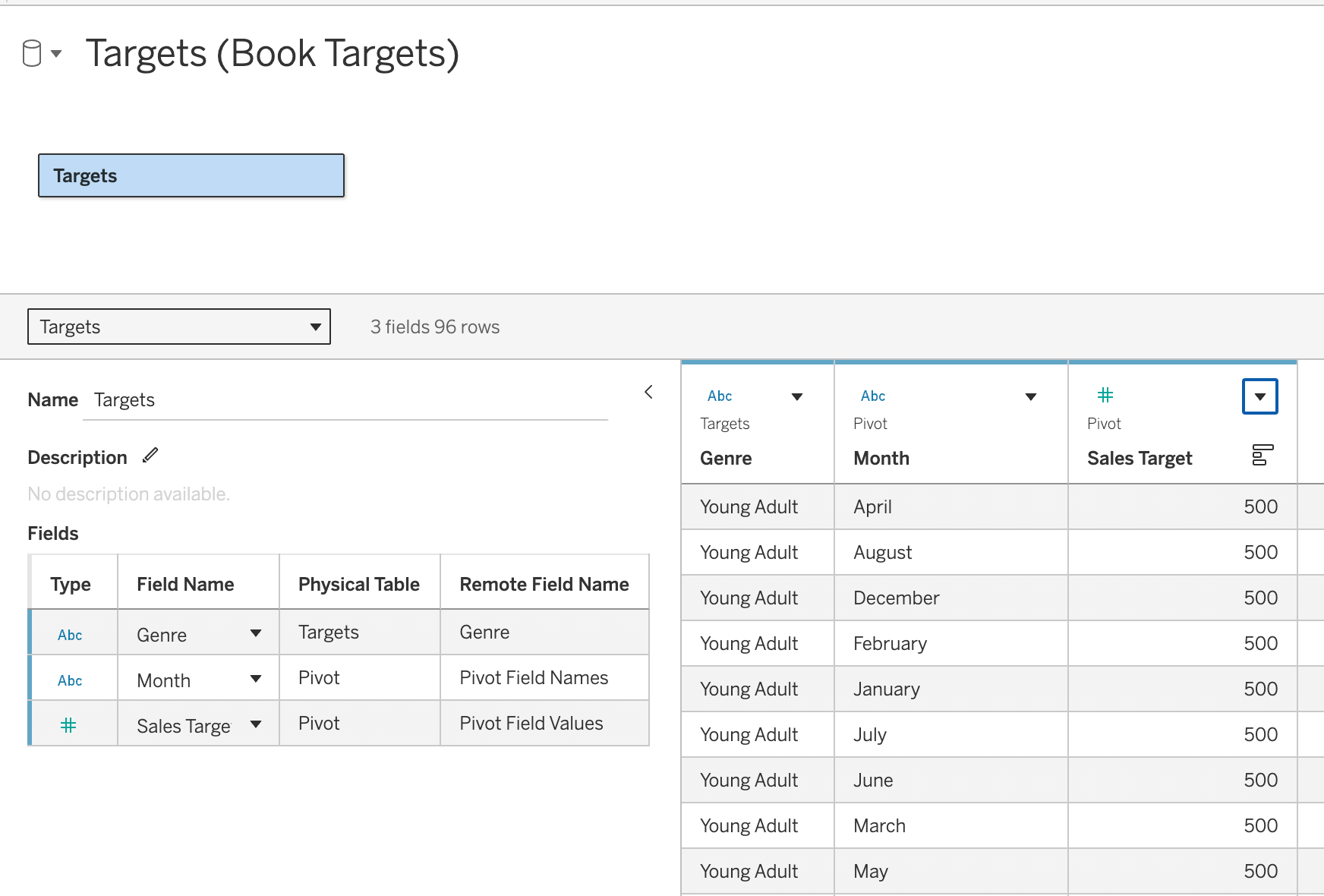
Now we can bring that into our model too. There are a number of places we can put it in our model but I think a base table connected to Date and Book (on Genre) makes the most sense:
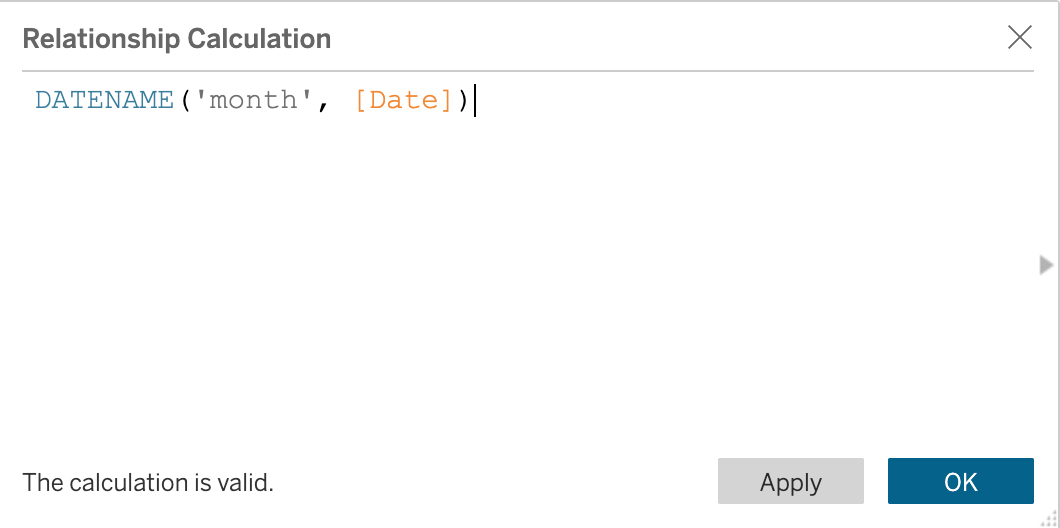
Assuming you didn't turn the Month field into a proper date, the relationship would look like this on the Date table side:
Now we can get a comparison of sales vs target (we could create a ratio calc and make it a heat map, of course!):
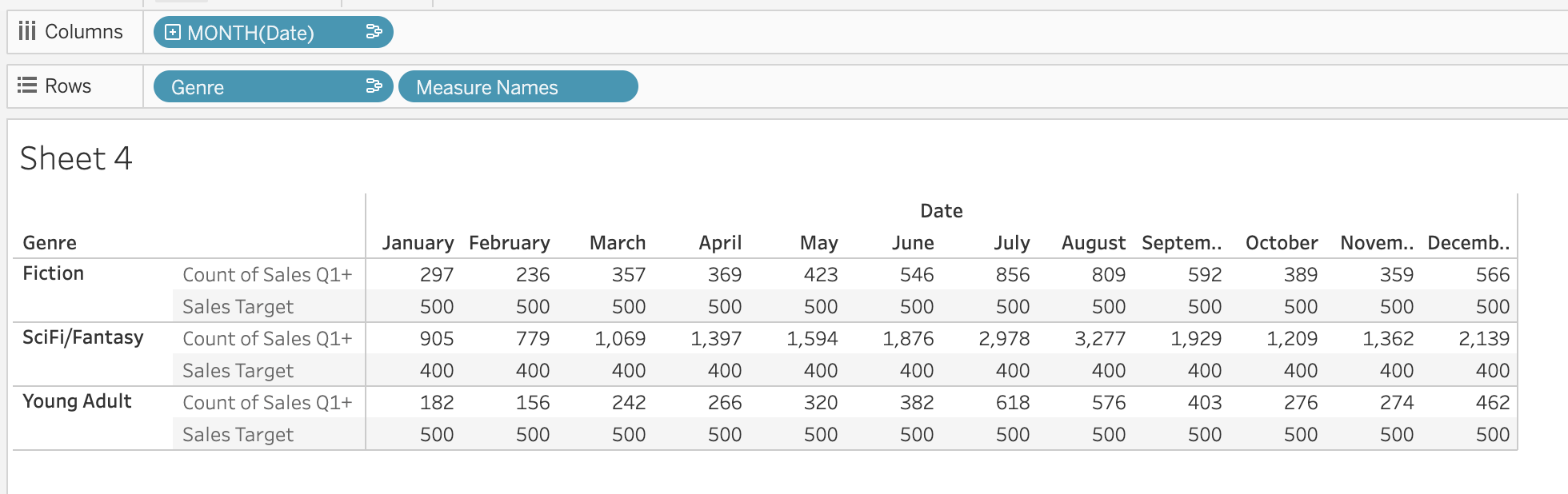
No blending! But, wait... why only 3 genres? The RLS we applied still holds true even though targets weren't in the model when we added the calculation.
Well, that's it for now. Look for the video on Just Tim and the upcoming Tableau User Groups (TUGs) where Will Perkins and I will present on the topic and do a version of this demo live:
Analytics TUG - June 25th
Team DataFam TUG - July 20th